Schedule nightly CVE scans
Register a scheduled scan once and Noxen scans every enrolled host each night at the hour you pick (03:00 by default), without the main app being open. The findings are in the dashboard the next time you open Noxen.
Enable scheduling
Settings → Scanning → Register scheduled scan. Choose the hour in Run time (local) first, or change it later without registering again.
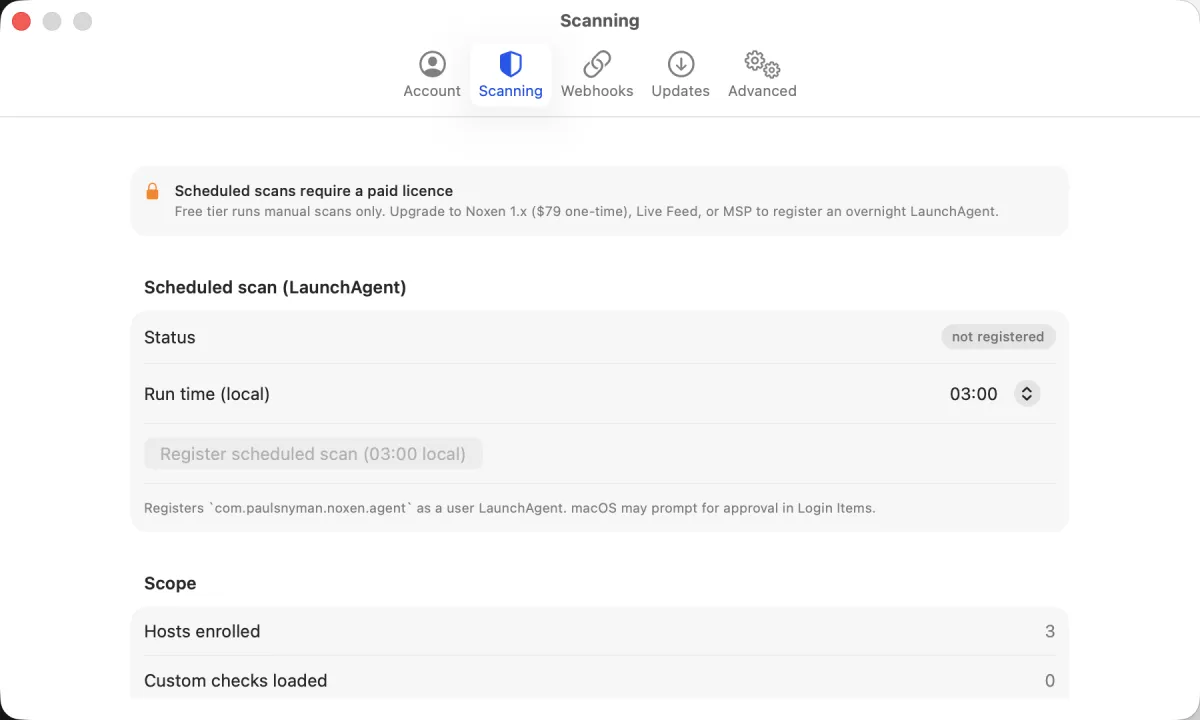
Registering uses Apple's SMAppService API to add a
per-user LaunchAgent. macOS may ask you to allow Noxen in
System Settings → General → Login Items & Extensions;
until you do, Settings shows the scan as waiting for approval.
The LaunchAgent runs Noxen's own signed app in a headless mode,
so there is no separate helper to install or keep up to date.
What happens each night
The LaunchAgent wakes Noxen on the hour, every hour. Each wake checks the hour you chose and exits straight away if it isn't that hour. At your hour, with no Dock icon and no window, it:
- Takes a lock at
agent/agent.lockin Noxen's App Group container, so two runs can't overlap. If the previous night's run is somehow still going (a large fleet over slow SSH), the new one exits without doing anything. macOS releases the lock when a run ends, even after a crash. - Reads the host list from
agent/hosts.json. The app rewrites this file whenever you add, edit or remove a host. SSH credentials come from the Keychain, the same place the app keeps them. - Scans each host with the same scan engine and CVE feed the app uses for a manual scan.
- Writes each host's result to
agent/results/<host-id>.json. The next time you open Noxen, it imports these files as ordinary scans and findings.
Nothing from a scheduled scan leaves your Mac apart from the SSH,
TCP and HTTP traffic to the hosts themselves. A run's log is at
/tmp/noxen-agent.out.log.
Transient-failure retry
If a host's first attempt fails early (the SSH connection or the package inventory never got going, for example because the box was rebooting for kernel updates), Noxen waits 5 seconds and tries once more, then keeps whichever attempt got further. Probe errors are saved with the result and show up in the app as probe-error findings, so you can see a host wasn't fully reached. There is no retry loop: at most one retry, then the next host.
Sleep and battery
Noxen doesn't wake your Mac. If it sleeps through the whole hour
you chose, that night's scan is skipped and the next night's runs
as normal. Scheduled scans also run on battery, so on a laptop
pick an hour when it's usually awake and plugged in. To wake a
desktop Mac for the scan, schedule a wake a couple of minutes
before your hour, for example
sudo pmset repeat wake MTWRFSU 02:58:00 for a 03:00
scan.
Schedule frequency
Once a day, at any whole hour you pick in the Run time menu. Weekly or longer cadences aren't built in. If you need one, run scans by hand with Scan all (⌘⇧R), or file a feature request.
Run a scheduled scan now
To test the scheduled path without waiting for your hour, run it from Terminal:
/Applications/Noxen.app/Contents/MacOS/Noxen --scheduled-scan --now
--now skips the hour check. The output shows each host
as it's scanned, and the results are imported the next time you
open Noxen. For a one-off scan of everything,
Scan all in the toolbar is simpler.
Disable scheduling
Settings → Scanning → Unregister scheduled scan.
The LaunchAgent is removed through SMAppService and
there is nothing else to clean up.
Tier requirements
Scheduled scans are part of the paid plan. The free tier does not register the LaunchAgent - manual scans only. See pricing for the full tier matrix and what each tier unlocks.